
Introduction
Generate realistic, linked synthetic data — without production risk.
DataGenStudio is TeraGen AI’s synthetic data workspace. You describe your tables and how they link, generate up to 1,000 rows per table where every reference points at a real parent row, explore the result, and download data files plus ready-to-run load scripts for your database.
Open the app → data.teragenai.com
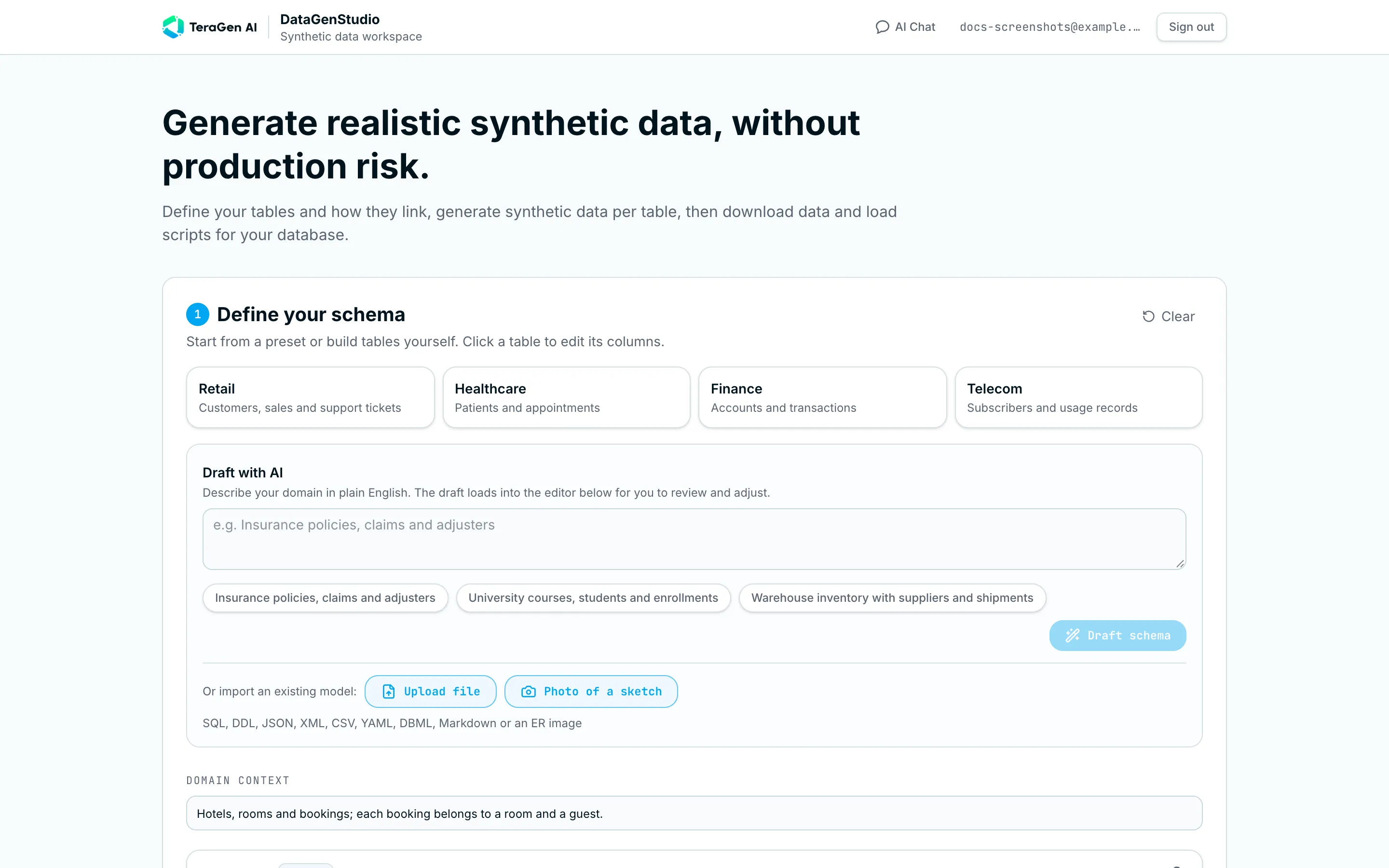
How it works
Everything happens on one page, in four numbered steps:
| Step | What you do | Guide |
|---|---|---|
| 1. Define your schema | Start from a preset, describe your domain to the AI, or import an existing model — then fine-tune tables and columns | Define your schema |
| 2. Generate data | Pick 10–1,000 rows per table and generate. Every link is checked | Generate data |
| 3. Explore the data | Search, filter and click through relationships | Explore the data |
| 4. Download dataset | Get one zip with data files, CREATE TABLE and load scripts for your database | Download and load |
Your schema is saved in your browser as you work, so a refresh won’t lose it.
Why DataGenStudio
Testing, demos and development need data that looks real — but copying production data means privacy risk, compliance work and accidental leaks. Hand-written fixtures are small, repetitive and rarely respect relationships between tables.
| You need… | DataGenStudio gives you… |
|---|---|
| Realistic values | Names, emails, companies, addresses, dates, amounts — plus AI-written domain text (product names, ticket subjects, claim descriptions) that fits your business |
| Data that joins correctly | Referential integrity by design: every foreign key points at a row that exists, and the app proves it with a link check |
| Your exact shape | Your table and column names, your ranges, your enum values — and it can copy the format of a sample value (e.g. CUST-000042 → CUST-000001, CUST-000002, …) |
| To load it quickly | One zip with CSV/JSON/Parquet files, CREATE TABLE scripts, a database-specific loader and a plain-SQL backup, for 7 database families |
| Zero production risk | All values are fictional. The app never connects to your databases — it only produces scripts you run yourself |
Who it’s for: QA and test engineers, developers seeding local and staging environments, data engineers prototyping pipelines, data architects turning ER models into test environments, and anyone preparing a demo or training environment.
What you get
- Visual schema editor — up to 8 tables × 20 columns (higher on Enterprise), 24 column types, links between tables
- Presets — Retail, Healthcare, Finance and Telecom schemas, ready to generate
- Draft with AI — describe your domain in plain English and get linked tables to review
- Import an existing model — SQL/DDL, JSON, XML, CSV, YAML, DBML, Markdown, ER-diagram images, or a photo of a hand-drawn sketch
- Linked data generation — 10 to 1,000 rows per table, with a link-integrity report
- Data explorer — relationship map, search, per-column filters, click-through to parent rows, linked-record counts
- One-click export — CSV, JSON or Parquet +
CREATE TABLE+ loader + plain-SQL backup + step-by-step README - Database-aware SQL — PostgreSQL, MySQL, MariaDB, SQL Server, Oracle, SQLite and Snowflake, version by version — plus any other database described by AI
- AI Chat — a data-generation assistant for quick one-off datasets and documents
New here? The Quick start takes about five minutes.